 Veep
Real-time chats with read ticks
Messages arrive instantly, with ticks for sending, sent, delivered and read. See who is typing as it happens.
Chats, calls, groups and stories, on Android and the web. Filter by what you care about, or search for something specific.
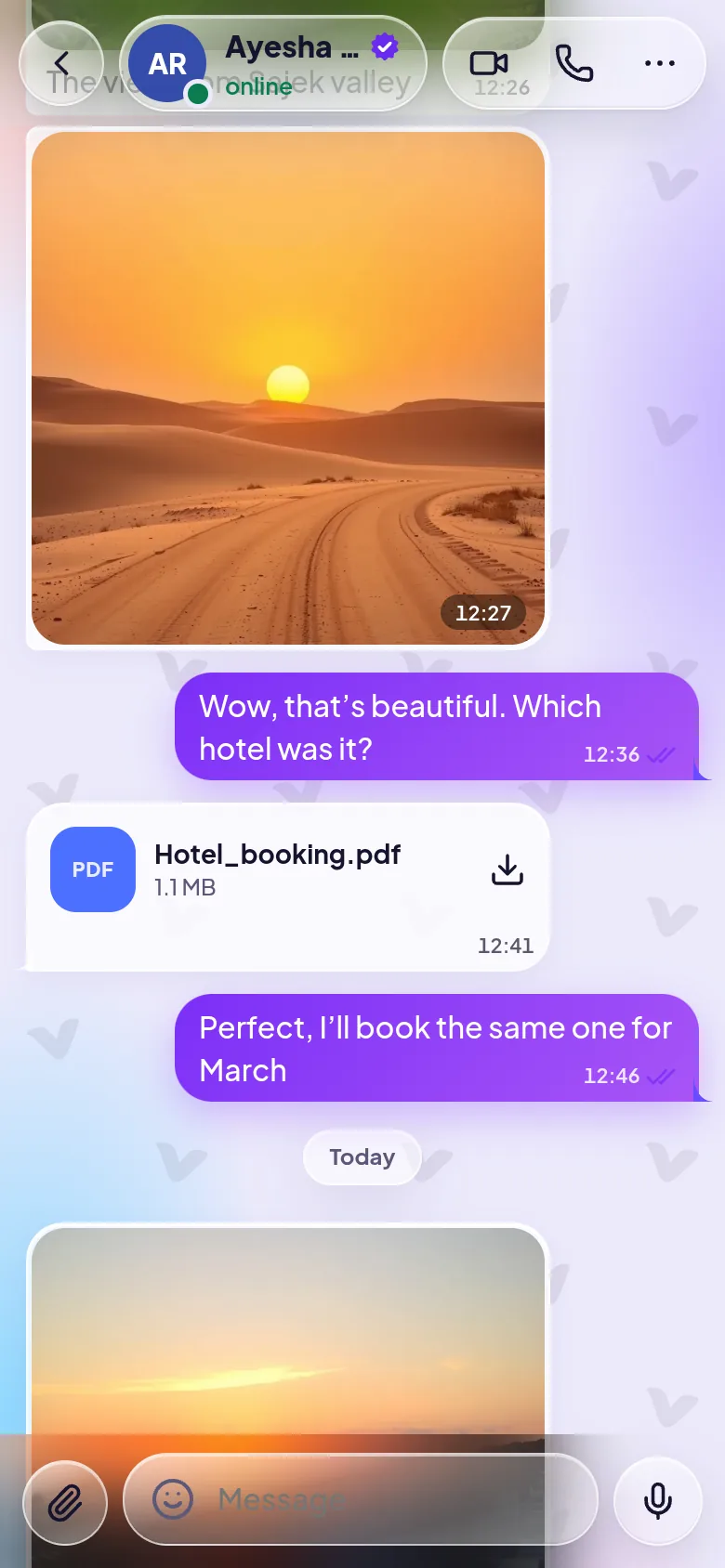
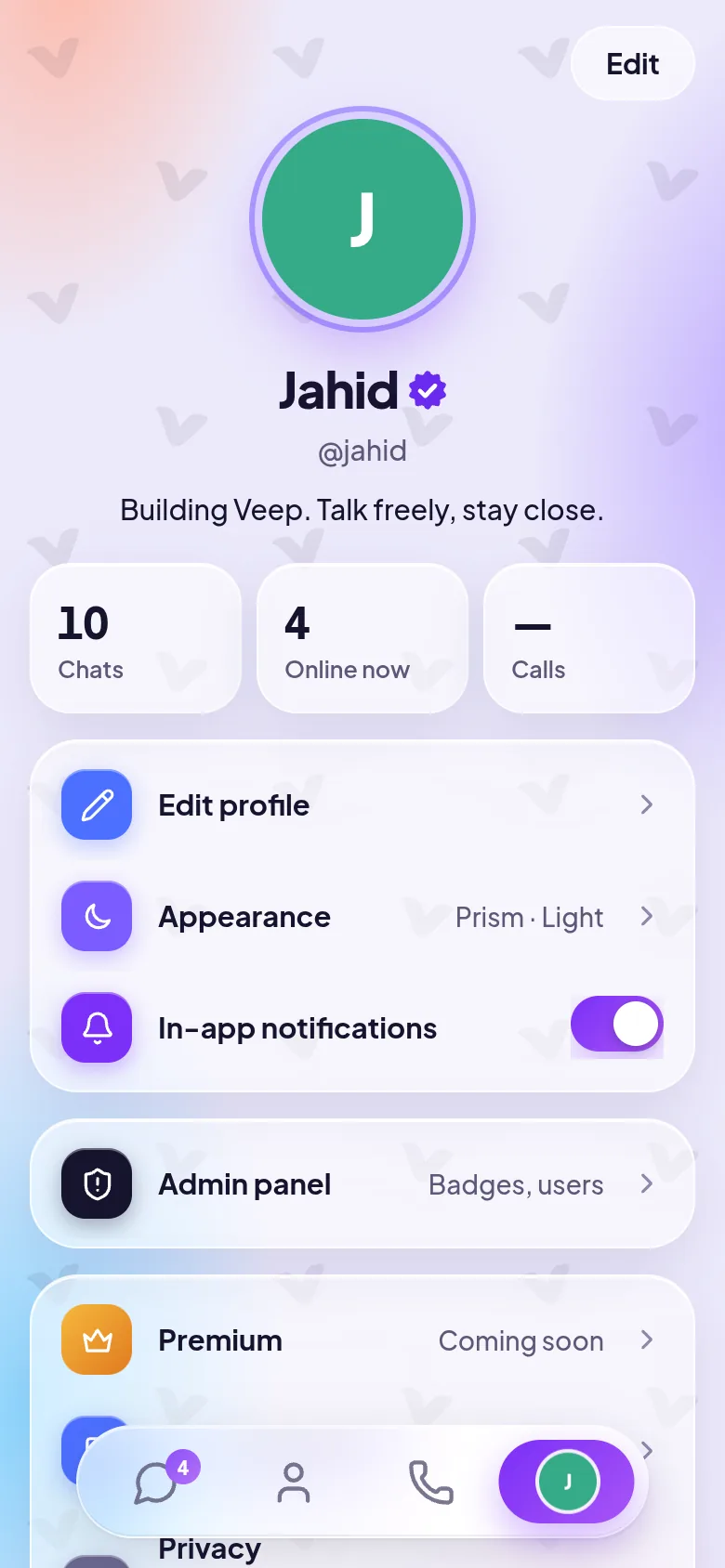
Messages arrive instantly, with ticks for sending, sent, delivered and read. See who is typing as it happens.
Your chats as a Pinterest-style board of cards with photo previews and unread badges. Prefer a compact list? One switch in Appearance.
Press and hold a chat to pin up to five to the top of your board.
Send photos, videos and files up to 15 MB: pick them, drag them in, or paste a screenshot. Tap a photo to see it full screen.
Tap the mic, talk, tap send. Play back at 1×, 1.5× or 2×.
Swipe right to reply, double-tap for ❤️ or hold for more reactions, and edit your text for 15 minutes after sending.
Single or multiple choice polls in any chat, for plans that actually get made.
A private chat with yourself for ideas, links and files.
Set a chat to clear messages after 1 hour, 24 hours, 7 days or 30 days.
Hold the send button to deliver a message later.
Changed your mind? Remove your message from the chat for everyone.
Search inside a chat, link previews, tappable phone numbers and emails, and “Read more” on long messages.
An emoji panel in the message box, and any emoji as a reaction.
Call anyone on Veep, phone or browser, with mute, camera off and speaker. Call history shows what you missed.
Voice or video calls with up to eight people in a group.
Share your screen during a call, even a voice call.
Keep talking while you use other apps: a round call bubble floats on top, or the call shrinks to picture-in-picture.
A full-screen incoming call, even over the lock screen.
Where internet calls are blocked, Veep can route calls through a relay that looks like ordinary secure web traffic.
Every group has one owner and any number of admins who can rename it, change its photo, add or remove people and delete messages.
Share a link or let friends scan a QR code to join.
Mention someone and they get an @ badge. Suggestions appear as you type.
See who has read your latest group message, respecting everyone’s read-receipt settings.
Share a photo or a video of up to 30 seconds. Friends tap your ring to watch, you see who viewed, and it is deleted for good after 24 hours.
Add a song from a library of openly licensed music (CC0 and CC BY), choose the 15 seconds that play, and the artist is credited.
Reply to a story by typing on it. Your reply lands in the chat with the story above it.
End-to-end encrypted one-to-one text messages. The keys never leave the two phones.
Compare a 60-digit code to confirm a secret chat, with a warning if someone’s code changes.
Calls are encrypted between devices (DTLS-SRTP), and four matching emoji show nobody is in the middle.
Lock Veep with a PIN, fingerprint or face.
Choose who sees your last seen, photo and stories, and turn read receipts on or off.
Block anyone, report messages, and delete your account whenever you like.
Back up your history to a file locked with your own password, then restore it on a new phone.
Every phone keeps its own complete history, so chats open instantly and work offline. The server keeps messages for 30 days so a new phone can catch up.
Photos arrive as tiny blurred previews that load on a tap, photos you send are made smaller, and you can see how much data photos used this month.
Translate a message on the phone itself with Google ML Kit: free, private and offline after a one-time language download.
Push notifications when Veep is closed, with the sender’s photo. On Android, reply or mark as read right from the notification.
Frosted glass over a slowly moving colour glow, with the Veep pattern behind every screen. Ink, Classic and Solid looks too.
Light, dark or follow your phone, six accent colours, text size and board or list layout.
A rosette with a tick marks notable people and organisations confirmed by Veep. Tap it to see what it means.
Share photos and text from other apps straight into a chat, and use launcher shortcuts for My Notes and recent chats.
The Android app tells you when an update is ready and installs it in place.
An optional AI companion that can guide you as a teacher, coach or friend. Part of Veep Premium.




No features match that search. Try “calls”, “photos” or “stories”.

Get the Android app, or open Veep in your browser. Your friends can use either.