Veep
A chat board, not a wall of text
Masonry cards with photo previews, unread badges and live typing. Prefer a classic list? Switch in Appearance. Pin up to five chats to the top.
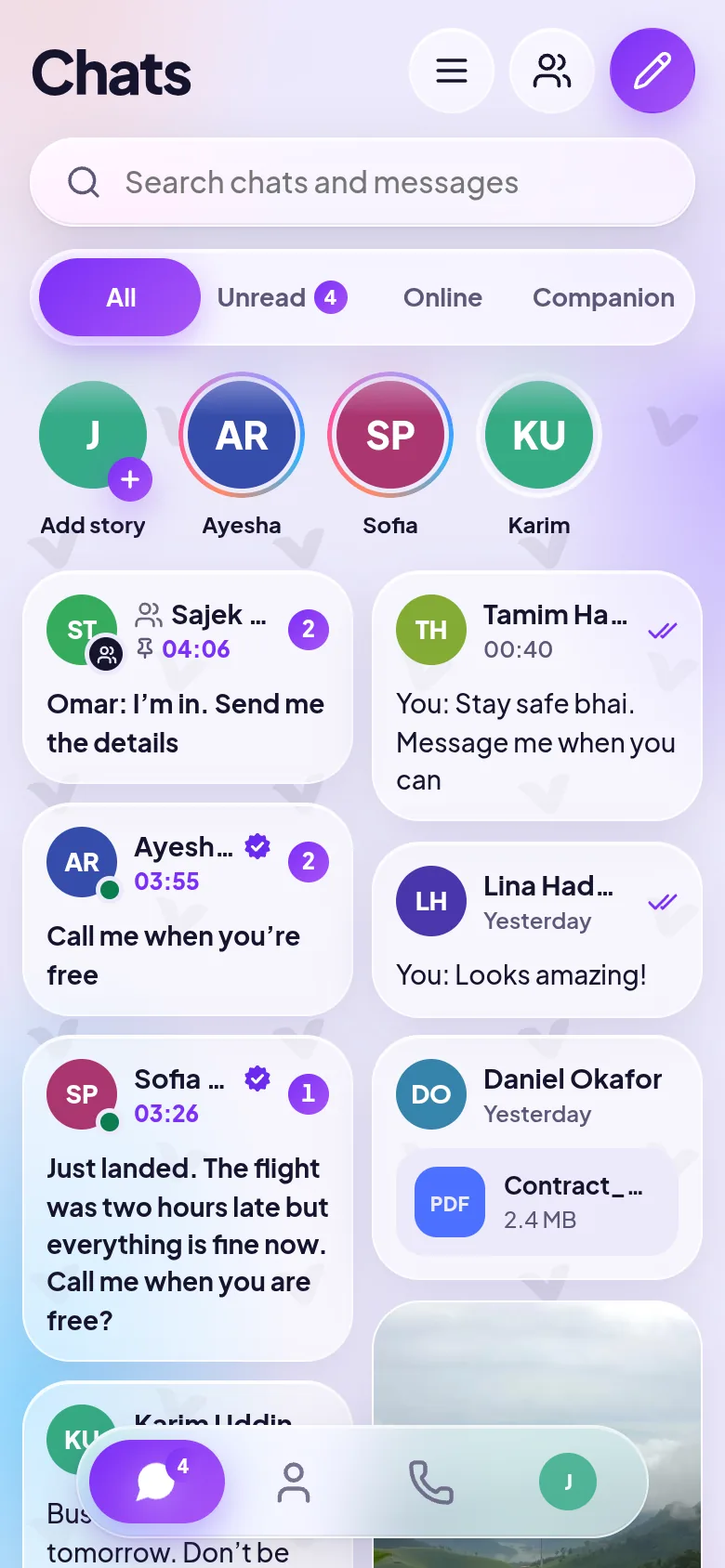
Veep is a messenger for the people you actually talk to. Chats laid out like a board, calls in one tap, stories that fade after a day, and secret chats only the two of you can read.
On iPhone? Open web.veep.chat in Safari, tap Share, then Add to Home Screen. How it works
Veep shows your chats as a board of cards: photo previews, unread counts and who is typing, all visible before you tap. Then it gets out of the way so you can talk.
Masonry cards with photo previews, unread badges and live typing. Prefer a classic list? Switch in Appearance. Pin up to five chats to the top.
One tap to call. Group calls for up to 8 people, screen sharing on Android, and a call bubble that floats over your other apps. Calls are encrypted between devices.
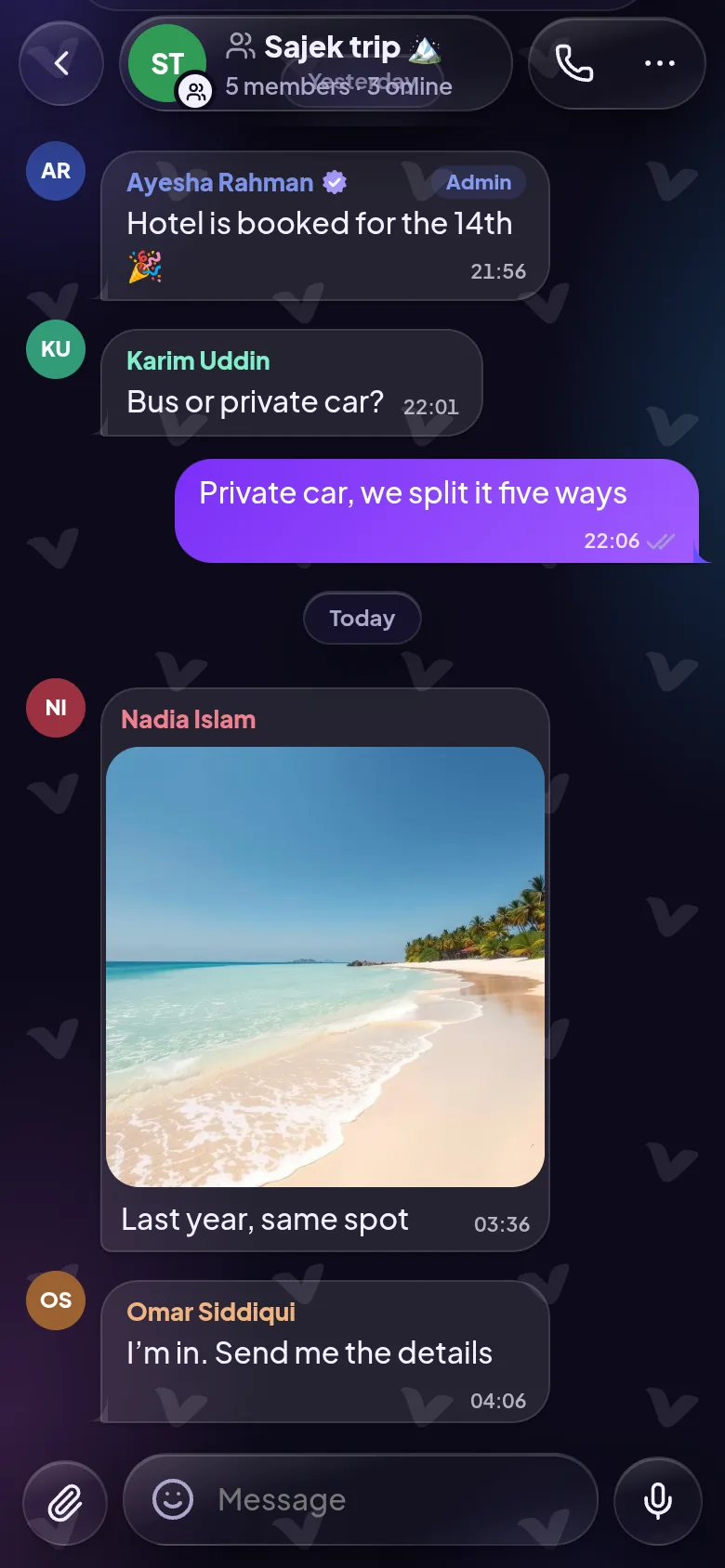
An owner, as many admins as you need, invite links with a QR code, @mentions and “Seen by” on your latest message.
Photos or 30-second videos that disappear after 24 hours. Add a song from a library of openly licensed music.
Tap the mic, talk, send. Listen back at 1×, 1.5× or 2×.
Swipe to reply, double-tap for ❤️, edit for 15 minutes, and settle plans with a quick poll.
Let a chat clean itself up, or hold send to deliver a message later.
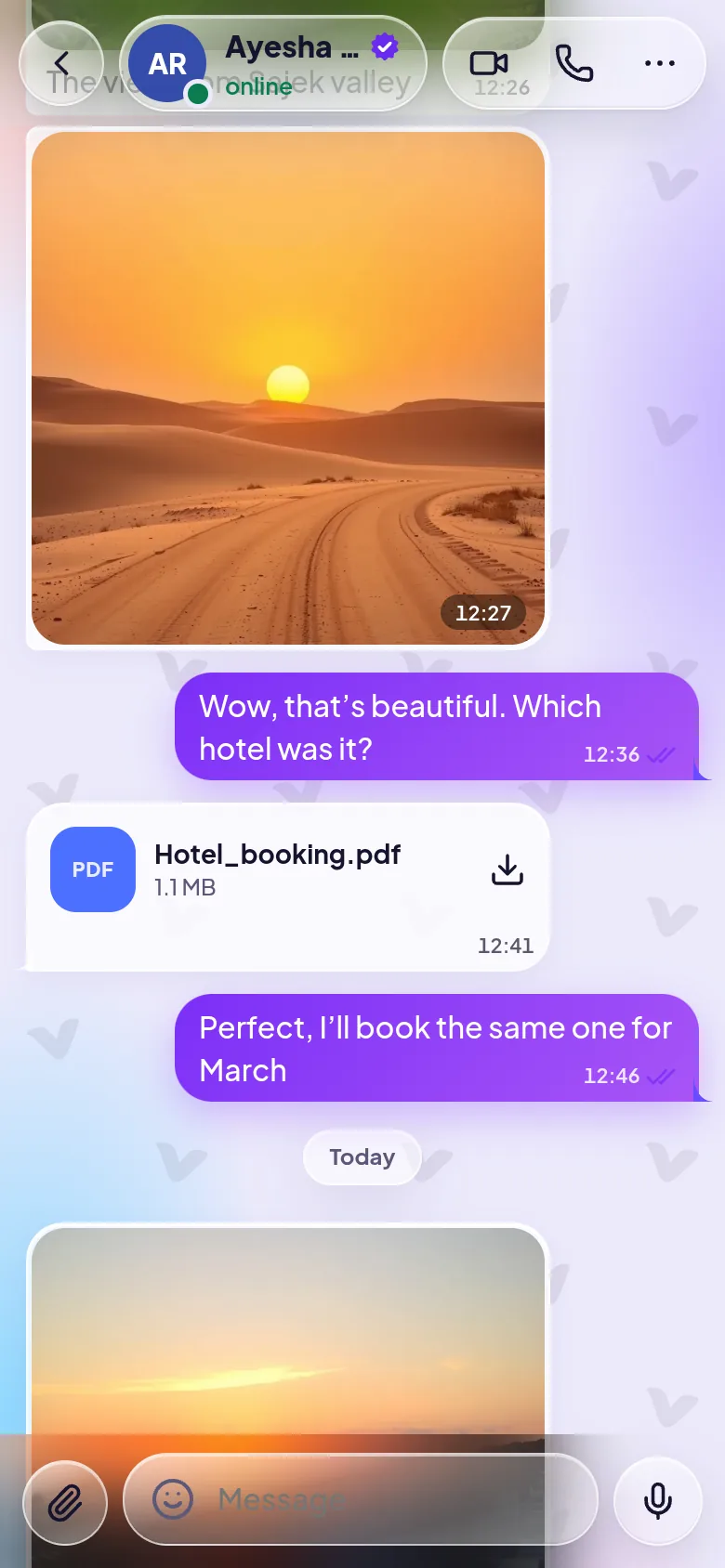
The Prism look puts frosted glass over a slowly moving glow. Pick light, dark or follow your phone, then choose an accent. Try it here.
We would rather tell you exactly what is protected than paint everything with the same brush.
One-to-one text messages encrypted end to end. Keys stay on your phones; our server only ever sees scrambled text. Compare a security code to be sure.
End-to-end encryptedAudio and video travel encrypted between devices (DTLS-SRTP). A relay, when needed, only passes encrypted packets. Matching emoji confirm nobody is in the middle.
Encrypted between devicesEncrypted in transit, but not end to end yet, including photos and files. We are working on extending end-to-end encryption to them.
Encrypted in transitEvery phone keeps its own full chat history, so chats open at once and work offline. Our server holds messages for 30 days, just long enough for a new phone to catch up, then deletes them and their files.
The Android app and the web app talk to each other, so it does not matter what your friends use.
Notifications with quick reply, full-screen incoming calls, picture-in-picture, screen sharing and one-tap updates.
 On a computer? Scan with your Android phone.
Open web.veep.chat on any computer or phone. On iPhone, add it to your Home Screen and it works like an app, with notifications and an icon.